
autocad pro bricscad pro ultimate
Tools | Workplane Mode On/Off(工具 | 工作平面模式开 / 关)
Command Line(命令行)
- AutoCAD / BricsCAD:CWWPMODE | ON/OFF
Workplane 跟随 UCS,在根据 3D 数据创建 2D 图纸时,提供快速、简便且准确的辅助。启用后,所有吸附到点云的点都会被投影到 Workplane 上。但是,当 SmartPicks 与 Workplane 同时启用时,SmartPicks 会覆盖 Workplane。
Using the Tool(使用工具)
要启用 Workplane 模式:
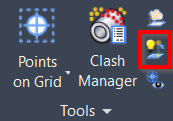
- 在 Tools(工具) 面板中单击 Workplane Mode 按钮,或键入对应首选 CAD 系统的 command line prompt 并按 ENTER。
说明
注意: Workplane 将跟随 UCS 的方向。 1. Workplane 将开启 / 关闭。
- 要编辑 Workplane 设置,在 Tools(工具) 面板中单击 Workplane 按钮。
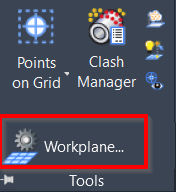
有关更多细节,请参阅 Workplane Settings 页面。
说明
注意: 如果 SmartPicks 与 Workplane 同时启用,SmartPicks 将覆盖 Workplane。