AUTOCAD BASIC AUTOCAD PRO bricscad basic bricscad pro ULTIMATE
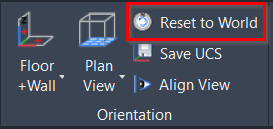
Orientation(方向) | Reset to World
Command Line(命令行)
- AutoCAD / BricsCAD:CWWORKPLANE | WORLD
该命令将 UCS 对齐到世界坐标系(WCS)。
Using the Tool(使用工具)
要恢复到世界坐标系:
- 在 Orientation(方向) 面板中单击 Reset to World(重置到世界坐标系)。
- 或输入对应于首选 CAD 系统的 命令行提示。
UCS 将被设置为 World(世界坐标系),并定向到 Top(俯视)视图。
说明
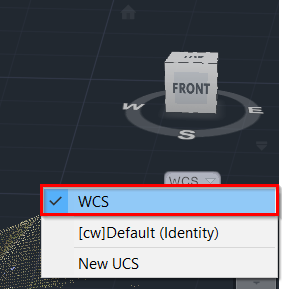
该操作等同于从 View Cube 下方的坐标系下拉列表中选择 WCS 选项,区别在于 Reset to World(重置到世界坐标系) 还会缩放到坐标系的原点。