
autocad pro bricscad pro ultimate
Tools | Points on Grid
Command Line
- AutoCAD / BricsCAD: CWPONGRID
该命令提供了易于使用的工具,用于在地面上定义网格并选择感兴趣区域以插入测量地面点。用户可以启动一个自动算法,使用所选的 SmartPick 设置智能地放置测量点。
Using the Tool
要生成网格上的点:
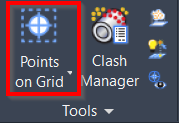
- 单击 Tools 面板中的 Points on Grid 按钮,或输入与首选 CAD 系统对应的 command line prompt 并按 ENTER。
- 将打开 Points on Grid 对话框。
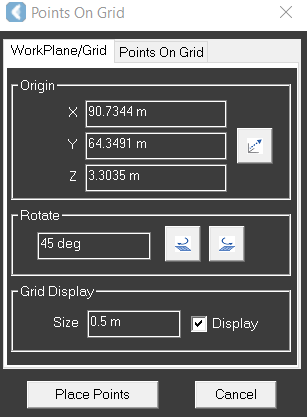
- 在 WorkPlane/Grid 选项卡上,转到 Grid Display 部分,设置所需的网格大小并选中 Display 复选框。
说明
Note: 网格方向将遵循 UCS。用户可以在创建网格上的点之前调整 UCS 的方向。
- 在 Points On Grid 选项卡上,在 Parameters 部分:
- 选择所需的 SmartPick Method。
- 选择 Ground Search Radius。
- 选择 Result Type。
- 根据需要更改默认的 Raw Description。
- 单击 Place Points。预览不是必需的。不过,它将临时显示点的放置位置。
有关每种拾取模式的描述,请参阅 SmartPick Viewport。