
概述
为确保最佳性能,需要为每个 PinPoint 模块将显卡配置为高性能模式。
解决方案
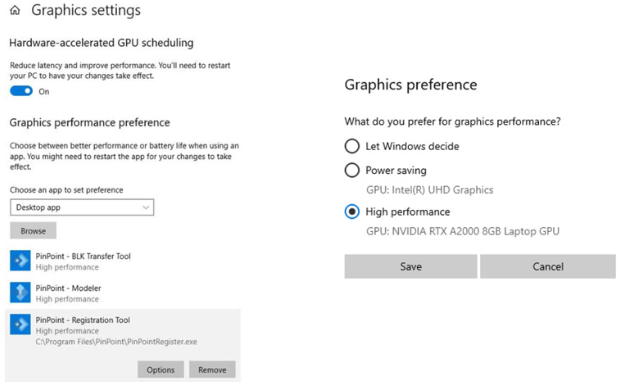
要将显卡设置为高性能模式,请按以下步骤操作:
- 打开 Windows Settings,依次进入 System | Display | Graphics。
- 浏览选择 PinPoint 软件,其默认位于以下路径:
C:\Program Files\LeicaGeosystems\PinPoint。 - 添加后,将该选项改为 High performance。
为确保最佳性能,需要为每个 PinPoint 模块将显卡配置为高性能模式。
要将显卡设置为高性能模式,请按以下步骤操作:
C:\Program Files\LeicaGeosystems\PinPoint。